Internet Download Manager 6.42 Build 58 for Windows Latest
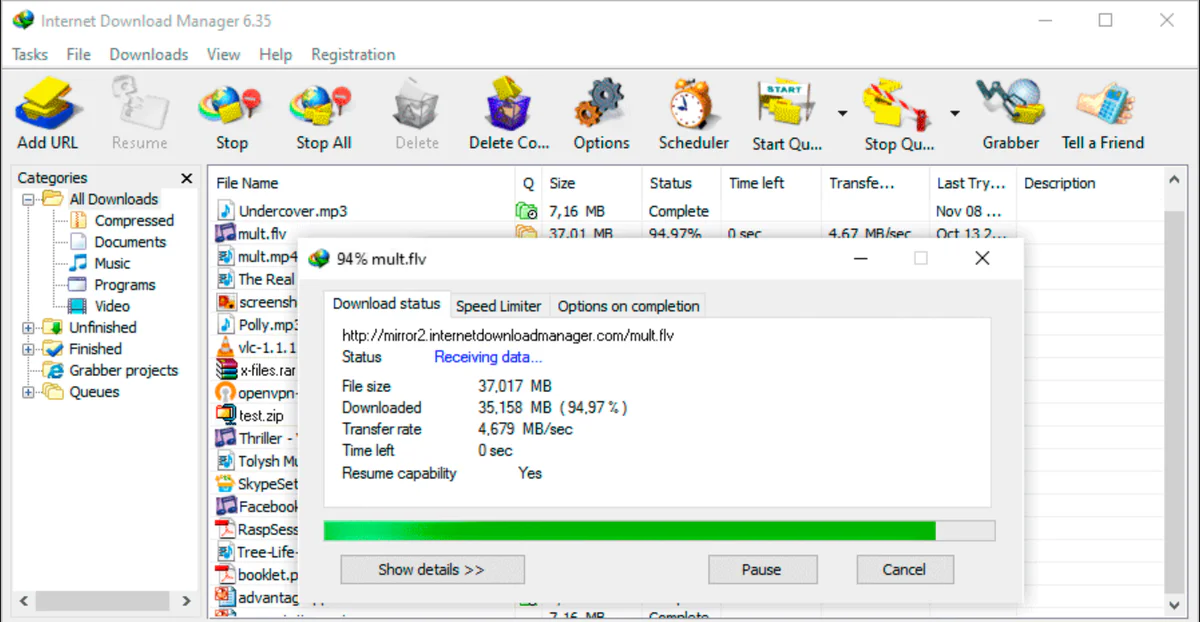
6.42 Build 58Internet Download Manager 6.42 build 58 is a popular download manager for Windows. You can download and manage files quickly with IDM. You can easily pause and resume the download without losing
IDM Accelerate Your Downloads on Windows - Freewarelab
Internet Download Manager 6.42 build 58 is a popular download manager for Windows. You can download and manage files quickly with IDM. You can easily pause and resume the download without losing
Internet Download Manager 6.42 Build 58 for Windows Latest Video Overview
Watch this video to learn more about Internet Download Manager 6.42 Build 58 for Windows Latest features and how to use it.
Internet Download Manager
Internet Download Manager 6.42 build 58 is a popular download manager for Windows. You can download and manage files quickly with IDM. You can easily pause and resume the download without losing anything. If you want to download the 4k resolution video heavy software and important documents in large size. IDM is perfect for your needs.
What is Internet Download Manager?
Internet Download Manager is a powerful Windows tool. It increases download speed up to 5 times and organizes downloads. It works by splitting files into multiple parts and downloading them at the same time. It help user to get faster more stable downloads than normal browser downloads.
IDM also supports the most popular web browsers and automatically captures download links. You can easily download your favorite content from any website, Facebook, YouTube, Daily Motion, and Venom. It offer the easy process.
Key Features of Internet Download Manager
- Increases download speed significantly
- Resume paused or broken downloads
- Itis works with Chrome, Edge, Firefox, and other browsers
- Download videos from supported websites
- Easy-to-use and clean interface
- Automatic link capturing
- Schedule downloads easily
Benefits of Using Internet Download Manager
You can use it and save time and avoid download failures. If your internet connection drops. IDM allow you to resume download instead of starting over. It is very helpful for large files, videos, and software downloads. It can provide a simple interface. It is very suitable for new and advanced users alike.
Internet Download Manager Alternatives
- If you are looking for other options, you can try:
- Free Download Manager
- JDownloader
- EagleGet
- Xtreme Download Manager
- Each alternative offers basic download features, but IDM remains the top choice for speed and stability.
Is Internet Download Manager Safe?
The Internet Download Manager is safe and legal to use. You can get it from our website without waiting for the downloading process. You can click the download button and get it. It does not contain viruses or malware. It is used by millions of users around the world.
Final Verdict
It is the best choice for Windows users. Who want fast, reliable, and easy downloading. It gives you the strong features, resume support, and browser integration. IDM remains one of the best download managers available today.
How to Download and Use Internet Download Manager
How to Download
- You can click on the Download button.
- The IDM setup file will start downloading automatically.
- Save the file on your Windows PC.
- Once the download is complete, open the setup file.
How to Install
- Double-click the downloaded IDM setup file.
- Click Next to start the installation.
- Accept the license agreement.
- Choose the installation location (or keep default).
- Click Install and wait for the process to finish.
- Restart your browser if asked.
- After installation, Internet Download Manager will open automatically.
How to Use
- Using IDM is very easy, even for beginners:
- Open your web browser (Chrome, Edge, Firefox, etc.)
- Copy any download link from the internet.
- IDM will automatically detect the link.
- A download window will appear.
- Choose the file location.
- Click Start Download.
- You can pause, resume, or cancel downloads at any time from the IDM main window.
How to Download Videos with IDM
- Open the video you want to download in your browser.
- Play the video.
- Click the “Download this video” button shown by IDM.
- Select video quality.
- Start downloading.
Pros and Cons of Internet Download Manager
Very fast download speed
Resume support for interrupted downloads
Easy browser integration
Simple and clean interface
Free trial only, paid after trial
Available for Windows only
System Requirements for Internet Download Manager
Frequently Asked Questions of IDM 6.42 Build 58
1Is Internet Download Manager free?
2Does IDM work on Windows 11?
3Can IDM really increase download speed?
Product Information
Internet Download Manager 6.42 Build 58 for Windows Latest 6.42 Build 58
Tonec Inc
Freeware
0
Windows
Write a Review
for Internet Download Manager 6.42 Build 58 for Windows Latest